Every example below comes with a context diagram and a Level 1 DFD. Both are balanced with each other and pass DrawDFD's rule checker. Click an example to see the diagrams, what each entity, process and data store means, and tips for extending it. Then open it in the editor and make it your own.
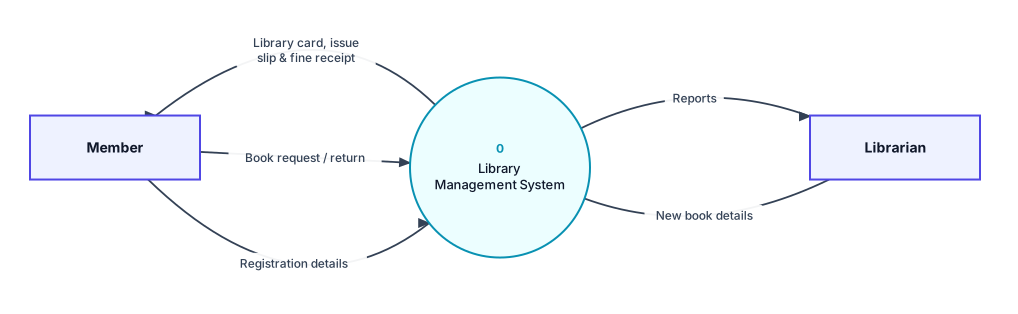
DFD for Library Management System
Members borrow and return books, librarians manage stock, and fines are collected for late returns.
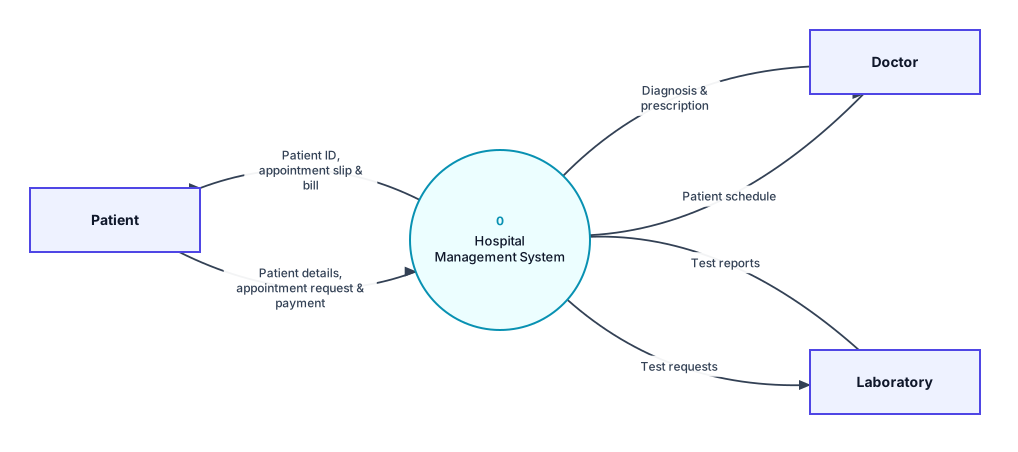
DFD for Hospital Management System
Patients register and book appointments, doctors record treatment, the lab returns test reports and bills are generated.
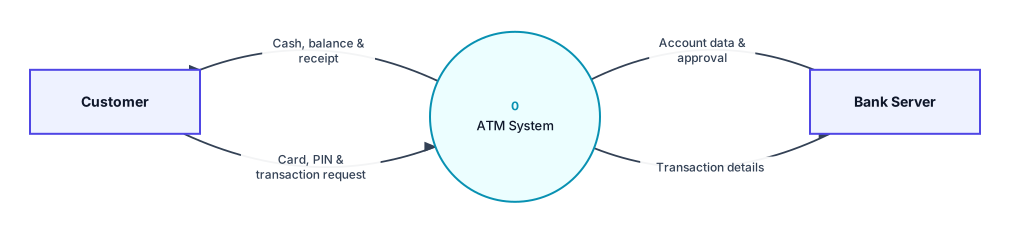
DFD for ATM System
A customer inserts a card, enters a PIN, withdraws cash or checks the balance, while the bank server approves every transaction.
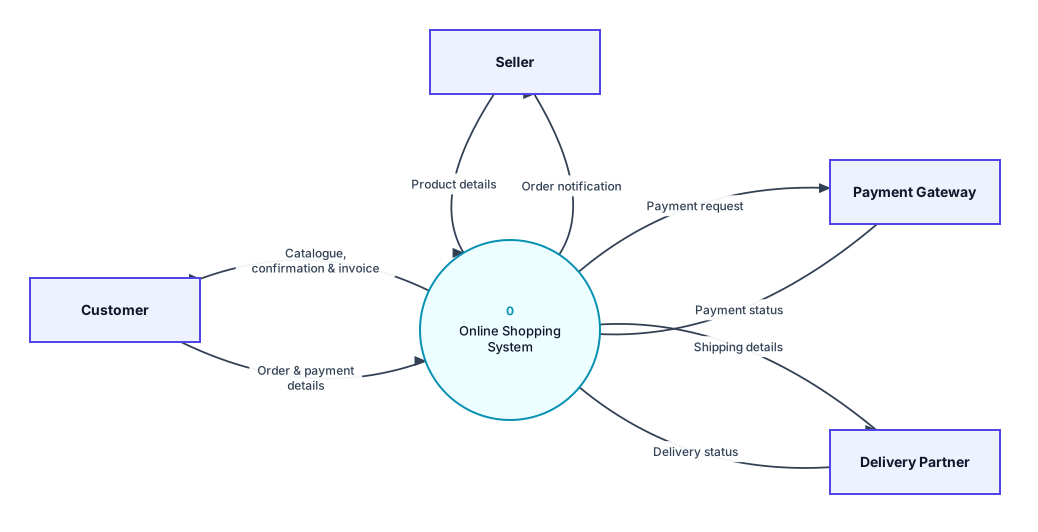
DFD for Online Shopping System
Customers browse, order and pay online, sellers add products, a payment gateway handles money and a delivery partner ships orders.
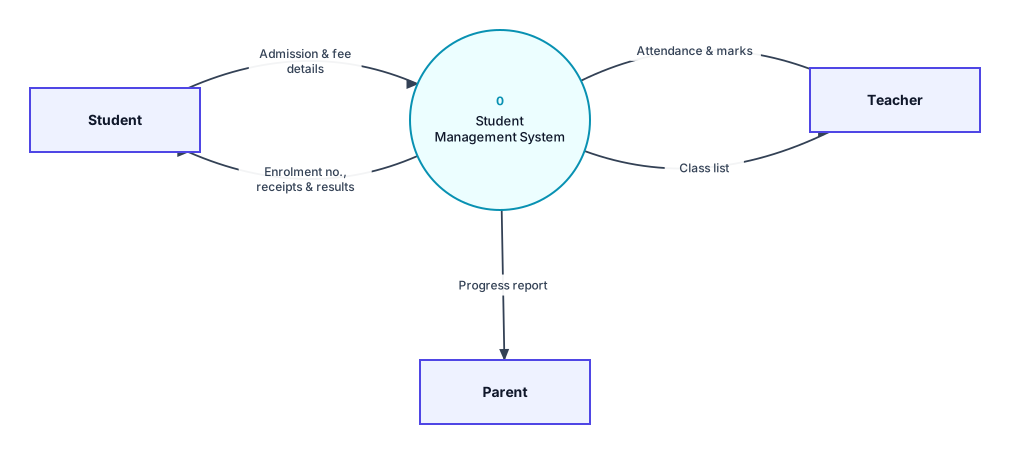
DFD for Student Management System
Students take admission and pay fees, teachers record attendance and marks, and results go to students and parents.
How to use these examples
- Open the example that's closest to your project.
- Rename entities, processes and data stores to match your own system (double-click any shape).
- Add or remove processes to fit your requirements. Keep 3–7 processes on Level 1.
- Click Check DFD rules and fix anything it flags.
- Export PNG for your report, and Save the diagram file so you can edit it later.
Ready to draw your DFD?
Open the free editor. No sign-up, and you can start from any example.