Draw data flow diagrams without the struggle
DrawDFD is a fast, dark-mode diagram editor built only for DFDs. Start from a ready-made example for your project, adjust it, check it against DFD rules and export it for your report.
- Context & Level 1/2 DFDs
- Yourdon & Gane–Sarson
- Rule checker
- PNG, PDF, SVG & draw.io export
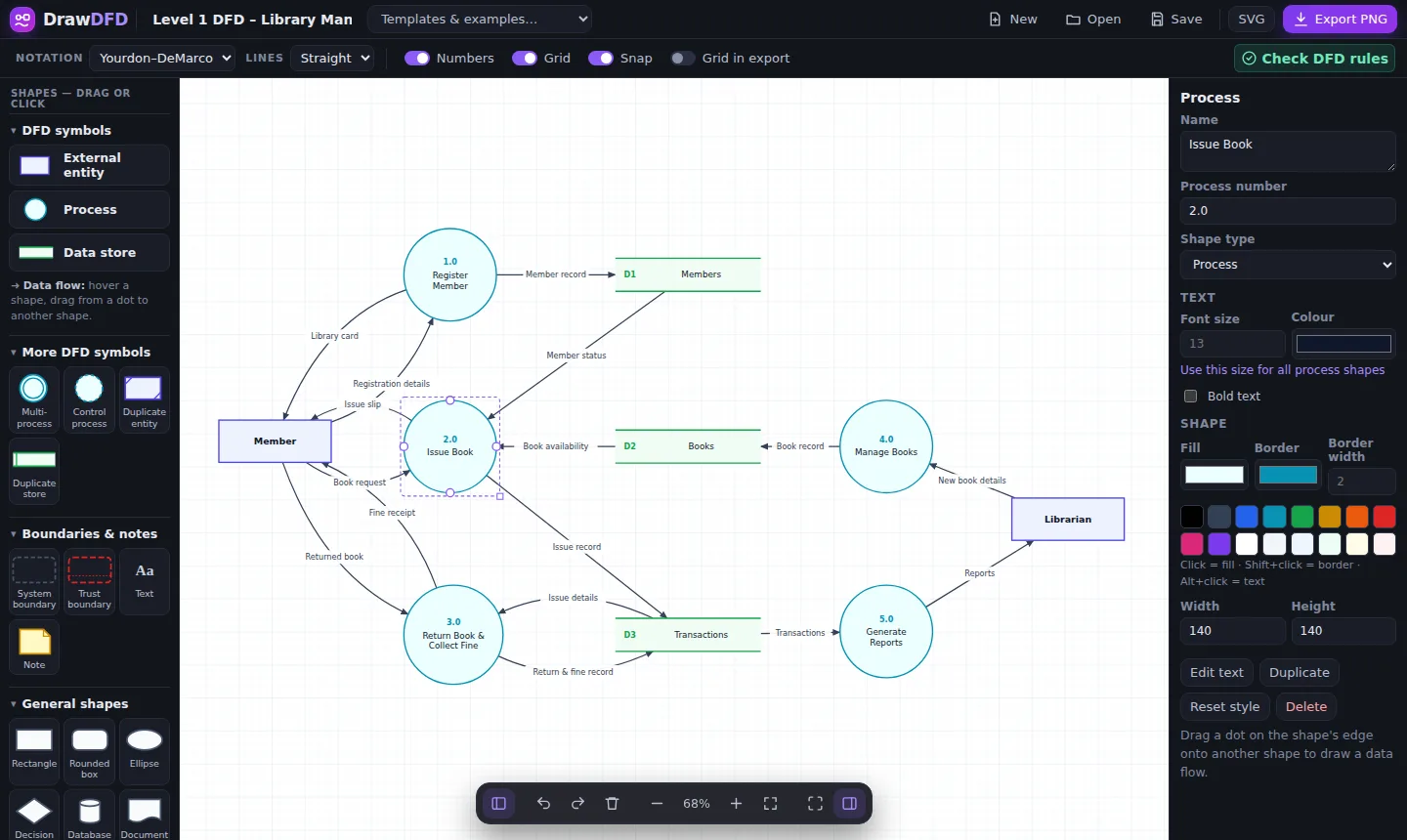
Start from a finished DFD
Each example has a context diagram and a Level 1 DFD that pass our rule checker. Open one in the editor and make it your own.
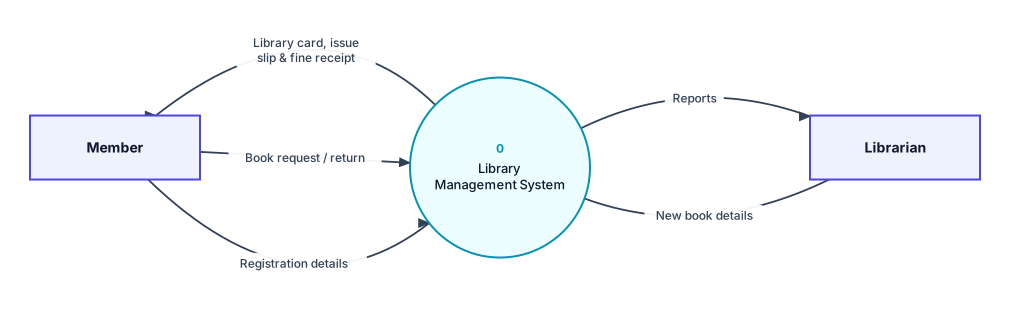
DFD for Library Management System
Members borrow and return books, librarians manage stock, and fines are collected for late returns.
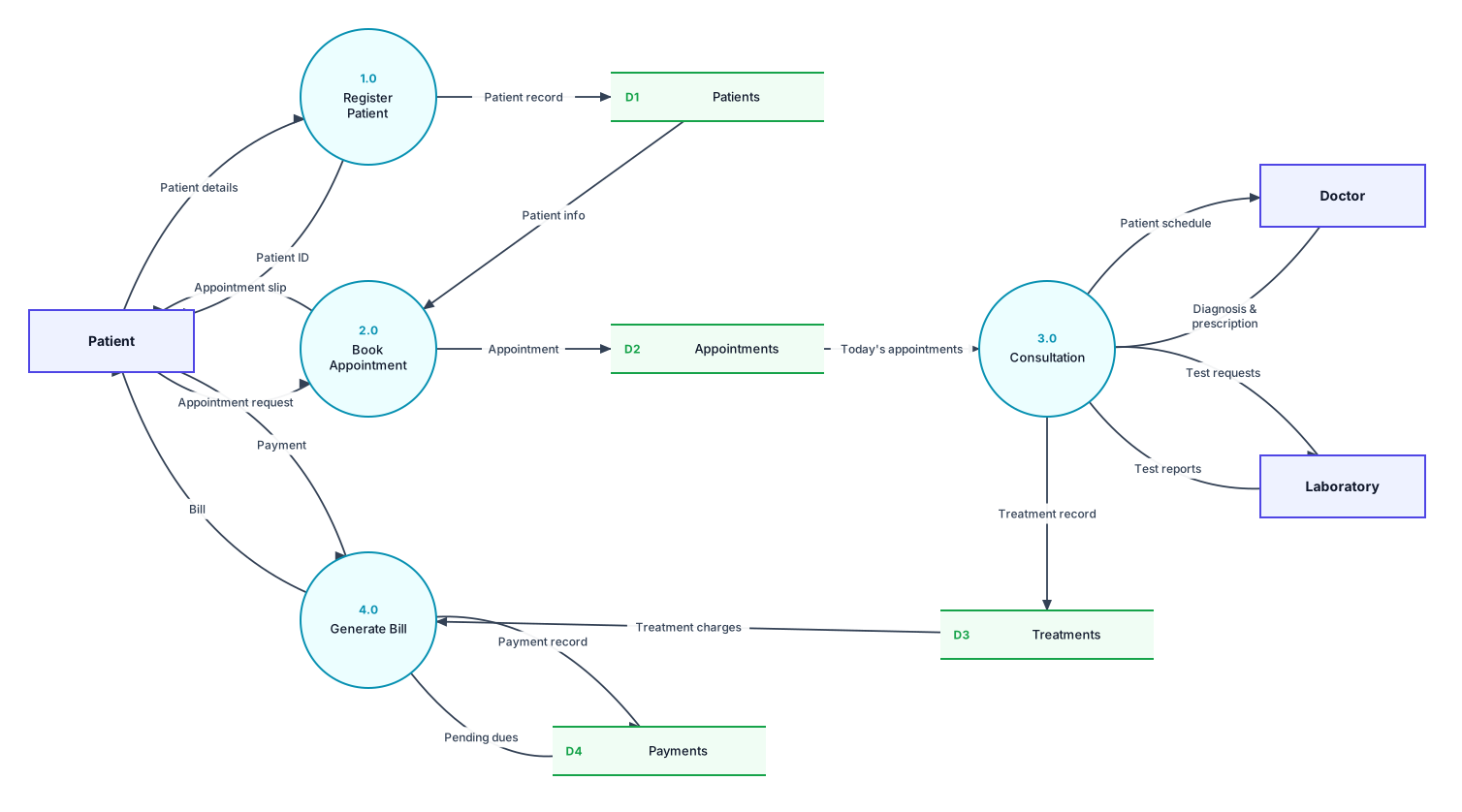
DFD for Hospital Management System
Patients register and book appointments, doctors record treatment, the lab returns test reports and bills are generated.
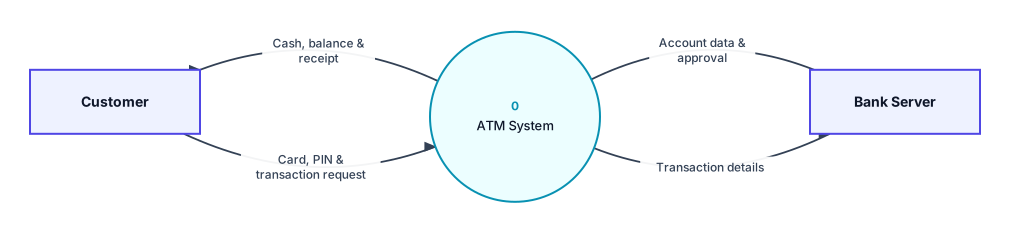
DFD for ATM System
A customer inserts a card, enters a PIN, withdraws cash or checks the balance, while the bank server approves every transaction.
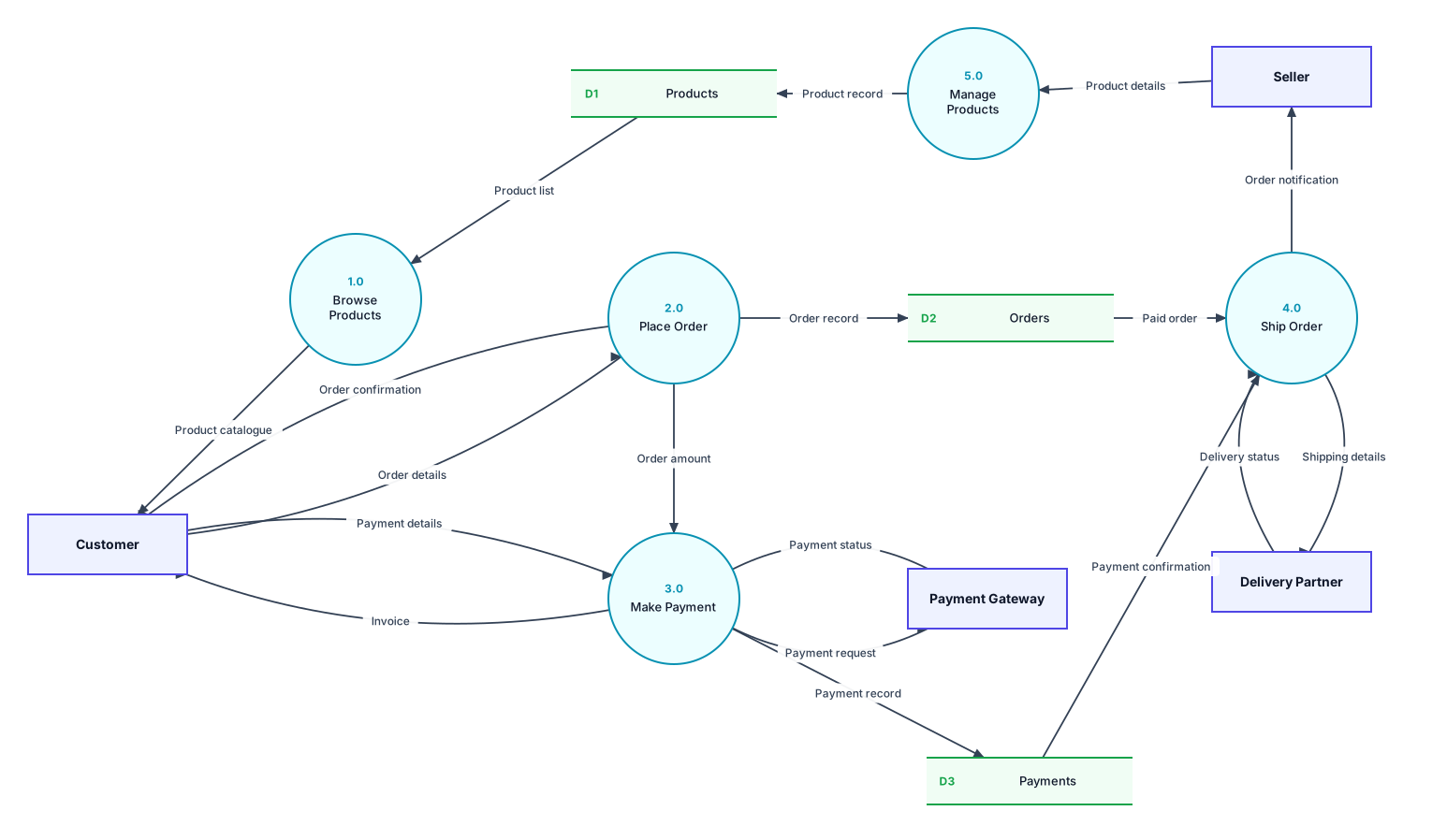
DFD for Online Shopping System
Customers browse, order and pay online, sellers add products, a payment gateway handles money and a delivery partner ships orders.
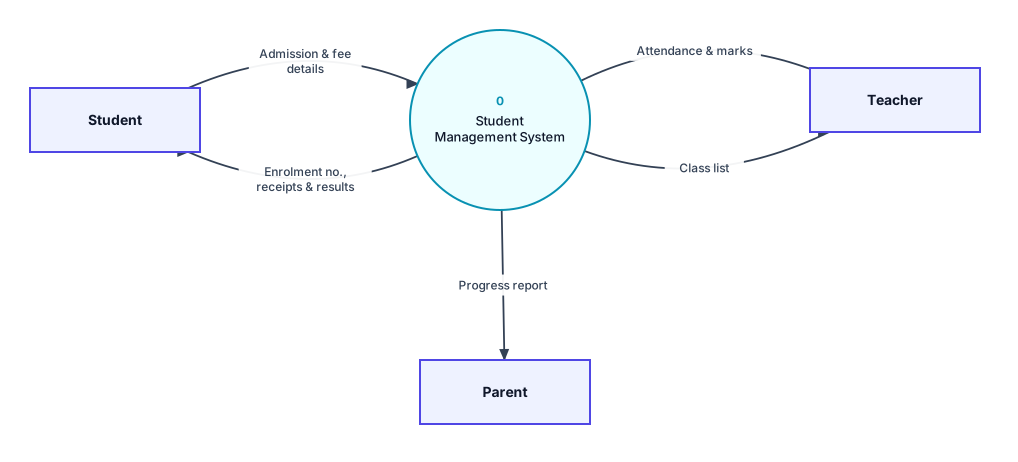
DFD for Student Management System
Students take admission and pay fees, teachers record attendance and marks, and results go to students and parents.
Your own system
Start with a blank canvas and draw any DFD.
Everything a DFD needs, nothing it doesn't
General drawing apps make you build DFDs by hand. DrawDFD knows the symbols, the numbering and the rules.
Examples you can edit
Open a finished context diagram or Level 1 DFD for common projects and change it to match yours.
Built-in rule checker
Finds black holes, miracles, entity-to-entity flows and unused stores before you submit.
Export & import anything
PNG, JPEG, WebP, SVG, PDF and HTML, with transparent backgrounds and no watermark. Import and export draw.io files too.
Flexible data flows
Straight, curved, S-curve or elbow lines. Drag to bend, flip curves and make two-way flows.
19 shapes, 2 notations
All DFD symbols plus boundaries, notes and general shapes, in Yourdon–DeMarco or Gane–Sarson.
Made for speed
Keyboard shortcuts, right-click menu, auto-numbering, focus mode and auto-save.
List what's outside and inside
Write down the external entities (people and systems outside) and the main things your system does.
Draw the context diagram
One process called “0”, with every entity around it and a named data flow for each exchange.
Break it into a Level 1 DFD
Split process 0 into 3–7 processes (1.0, 2.0…) and add the data stores they read and write.
Check and export
Click Check DFD rules, fix what it flags, then export a PNG for your report.
Keyboard shortcuts
Draw a full DFD without reaching for the menus.
Add entity, process, data store
Rename the selected item
Copy and paste shapes
Duplicate selection
Undo (and CtrlY to redo)
Focus mode for small screens
Lock a shape in place
More options on any item
Is DrawDFD free to use?
Yes. The editor is completely free, with no account, no watermark and no limit on diagrams.
Can I use the examples in my college project?
Yes. Open any example, rename things to match your own system, and download it as PNG or SVG for your project report. Treat the examples as a starting point and adapt them to your own requirements.
Which DFD notation does DrawDFD use?
Both. Switch between Yourdon–DeMarco (circles for processes) and Gane–Sarson (rounded boxes) from the Notation menu at any time.
Where is my diagram saved?
Automatically in your own browser, so nothing is uploaded. Use Save to download a diagram file you can open again on any computer.
Does it check my DFD for mistakes?
Yes. Check DFD rules finds black holes, miracles, flows that skip a process, unused data stores and unnamed flows, and highlights each one on the diagram.
Your DFD is five minutes away
Pick an example or start blank. It's free, runs in your browser and saves as you go.